
01 / UNDERSTAND
Talk through the work.
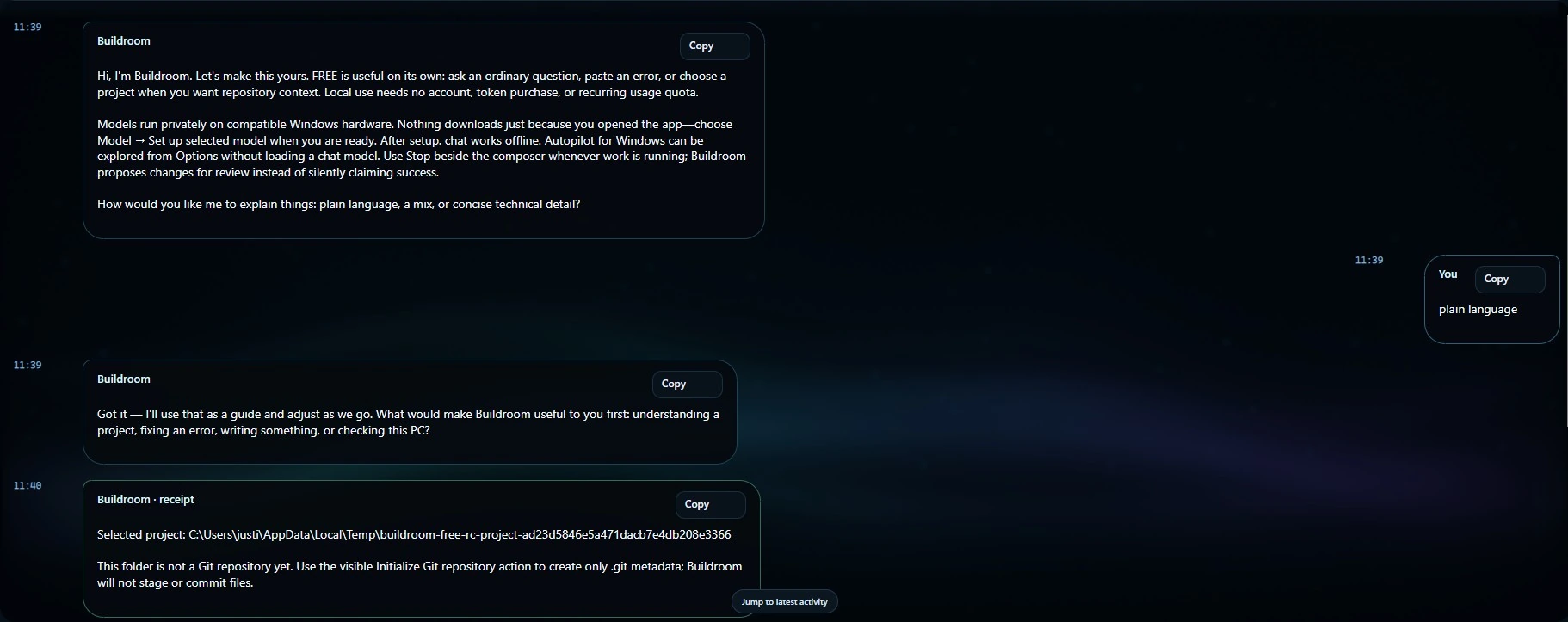
Ask about a repository, explain a failure or work toward a bounded change. Keep the requirement and the target clear.
Mainely Code Buildroom
A local-first coding workspace for understanding, planning and doing real project work. Keep your hardware in the loop, your approvals visible and your results open to review.
THE ENGINEERING WORKSHOP
An idea takes shape through scope, coordinated work, review, and evidence. Product capabilities remain specific to each edition and release.
More than a chat box
01 / UNDERSTAND
Ask about a repository, explain a failure or work toward a bounded change. Keep the requirement and the target clear.
02 / CHOOSE
Select approved model choices that fit your edition and machine. Larger does not automatically mean better for every task.
03 / VERIFY
Keep action scope, results and verification evidence visible. A confident answer is not the same thing as a passing test.
AUTOPILOT · ALL EDITIONS
Autopilot is about doing the approved work—not just describing the clicks. Supported browser and desktop workflows stay bounded by the actions you authorize.
Multi-step navigation, waiting for interfaces, clearer feedback and stronger recovery are active areas of improvement across FREE, LITE and ADVANCED.
Supported actions depend on the installed release, target application and permissions. Stop does not undo an action already completed.
Choose your edition
BUILDROOM
Available on Microsoft Store$0
A real local coding workspace. Not a timer. Not a trial.
BUILDROOM
Available on Microsoft StoreOwn your license
More headroom for capable gaming, CAD and development PCs.
BUILDROOM
In developmentGo further
Heavier engineering workflows and governed worker coordination.
Available models depend on your installed version, approved catalog and hardware. Store availability does not mean every development feature has shipped. Check the listing for current price, version and requirements.
Next-update work
The current engineering work brings GRIND and the CLI further into the Buildroom experience. Delivery is qualified separately from the already-available Store releases.
GRIND
The next FREE update expands bounded, iterative work instead of reserving the idea for the highest tier.
BUILDROOM CLI
A command-line surface alongside the desktop, with the same edition-specific capabilities and approval boundaries.
AUTOPILOT
Natural navigation wording, stronger recovery, durable conversations and source-bound verification are part of the current work.

More capacity. Not less control.
Governed coordination across the workers you authorize. ADVANCED brings heavier workflows and controlled LAN execution into the development picture.
Worker distribution and capabilities remain subject to release qualification. No standalone worker download is advertised here.
See the actual workspace
The original September campaign graphics are preserved as dated comparisons, not independent model-quality benchmarks.
Powerful AI. For the People.
Start with FREE. Try a real project. Check your hardware before choosing a paid edition.
MAINELY CODE / PRACTICAL GUIDANCE
An agentic coding workflow connects project understanding, a bounded task, permitted actions and a checkable result. Buildroom brings local model choices and project context into that workflow. Its Autopilot actions remain subject to the controls and capabilities of the installed edition and release.
Local inference uses a supported model on your compatible machine. Model downloads, browsing and connected services can require internet access. Review where inference runs and what a specific service can access; a desktop app is not a promise that every optional workflow stays offline.
FREE offers approved local models through 8B. LITE expands the approved catalog, including 20B choices, with a perpetual license. ADVANCED is in development for heavier engineering and governed worker coordination. Larger models still need suitable memory and compute headroom.