
PROJECT CONTEXT
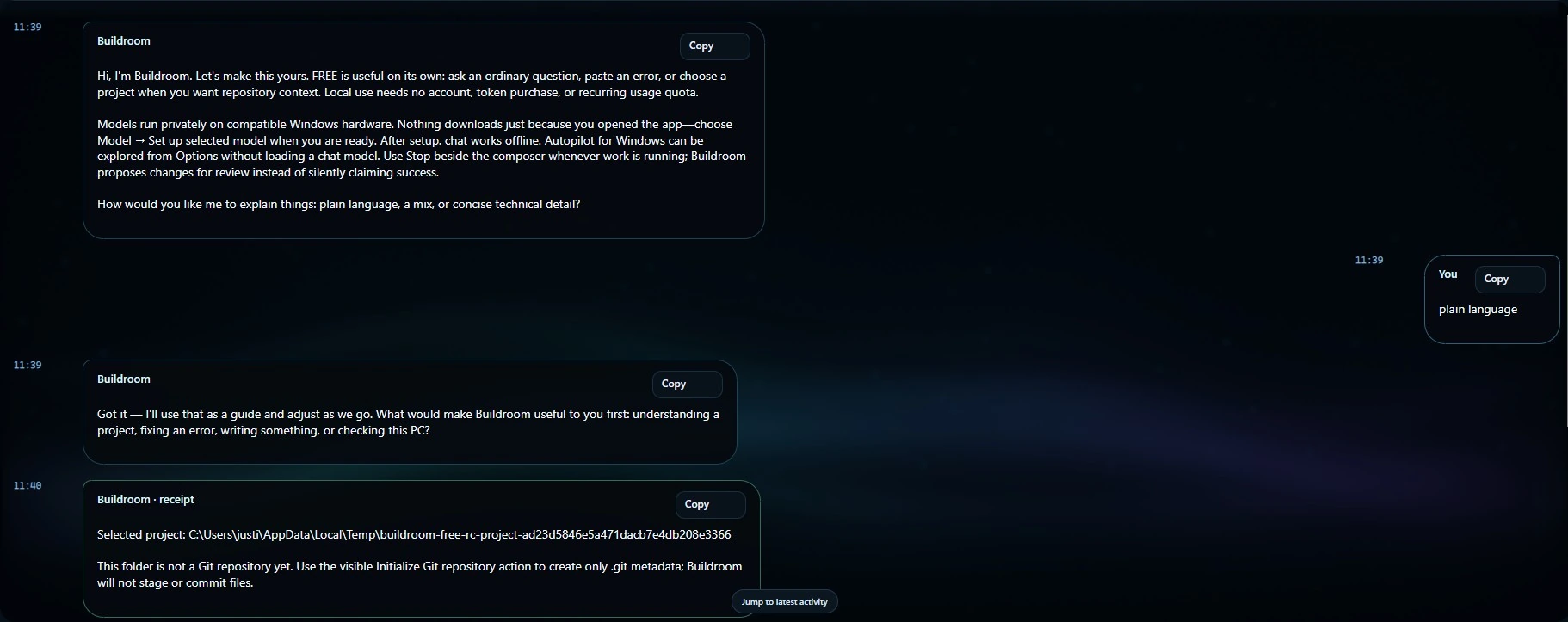
Understand a repository.
Find the relevant files, explain an error or outline a sensible first change. Keep the task small enough to review.
Buildroom · FREE edition
Not a crippled demo. A local coding workspace with conversation, project context, hardware telemetry and Autopilot—so you can find out what your own machine can do.
Approved model choices through 8B depend on the installed version and hardware readiness.
THE ENGINEERING WORKSHOP
An idea takes shape through scope, coordinated work, review, and evidence. Product capabilities remain specific to each edition and release.
A useful place to start
PROJECT CONTEXT
Find the relevant files, explain an error or outline a sensible first change. Keep the task small enough to review.
MODEL CHOICE
Start with the local profiles your installed release supports. Run hardware checks instead of assuming a larger model will be faster.
HUMAN CONTROL
See hardware use, follow the conversation and check the evidence behind an action or verification result.
AUTOPILOT · ALL EDITIONS
Autopilot is about doing the approved work—not just describing the clicks. Supported browser and desktop workflows stay bounded by the actions you authorize.
Multi-step navigation, waiting for interfaces, clearer feedback and stronger recovery are active areas of improvement across FREE, LITE and ADVANCED.
Supported actions depend on the installed release, target application and permissions. Stop does not undo an action already completed.
Next-update work
The current engineering work brings GRIND and the CLI further into the Buildroom experience. Delivery is qualified separately from the already-available Store releases.
GRIND
The next FREE update expands bounded, iterative work instead of reserving the idea for the highest tier.
BUILDROOM CLI
A command-line surface alongside the desktop, with the same edition-specific capabilities and approval boundaries.
AUTOPILOT
Natural navigation wording, stronger recovery, durable conversations and source-bound verification are part of the current work.
Already have a powerful setup?
A LIGHTER LANE
Use a smaller model for explanations, reviews and bounded tasks when a heavy model would be unnecessary.
CPU-ONLY OPTION
Where appropriate, CPU-only inference can leave the GPU available for another workload. Throughput still depends on your machine.
UPGRADE WITH PURPOSE
Choose LITE for larger approved models and more local headroom—not because FREE ran out of credits.
Powerful AI. For the People.
Start with FREE. Try a real project. Check your hardware before choosing a paid edition.
MAINELY CODE / PRACTICAL GUIDANCE
Buildroom FREE is a Windows starting point for local AI coding. Begin with one repository and a task small enough to review: explain a function, trace an error, outline a script or investigate one failing case. Give the assistant the relevant files and describe the expected behavior.
Choose from the approved local model catalog through 8B according to your machine. Model size alone does not establish speed, accuracy or suitability. Available memory, the selected model and the amount of project context all affect a practical session.
For actions exposed by your installed release, review what will run and inspect the resulting changes. Check the actual test output rather than relying on a completion message. Stop prevents further work; it does not undo actions that already completed.
Local inference uses your hardware. Initial downloads, browsing and connected services may use the internet. The official Microsoft Store listing supplies current installation requirements and availability. Read the agentic coding guide before expanding a small first task.